Get key insights from any PDF,
fast and easy

Click here or drag files to upload
Supports : PDF under 60MB / Up to 100 pages
Get the main arguments and conclusions
before reading the entire PDF.
Quickly scan lengthy reports and research papers to see if they have the information you need.
Why LiveWiki

Instant PDF Summaries
Summarize 100+ page PDFs in seconds with LiveWiki

3 Summary Formats
Choose your style: TLDR, Article, or Pages

Multi-Language Support
Auto-translation for English, Korean, Japanese, Chinese, Spanish, French, and German
How it Works
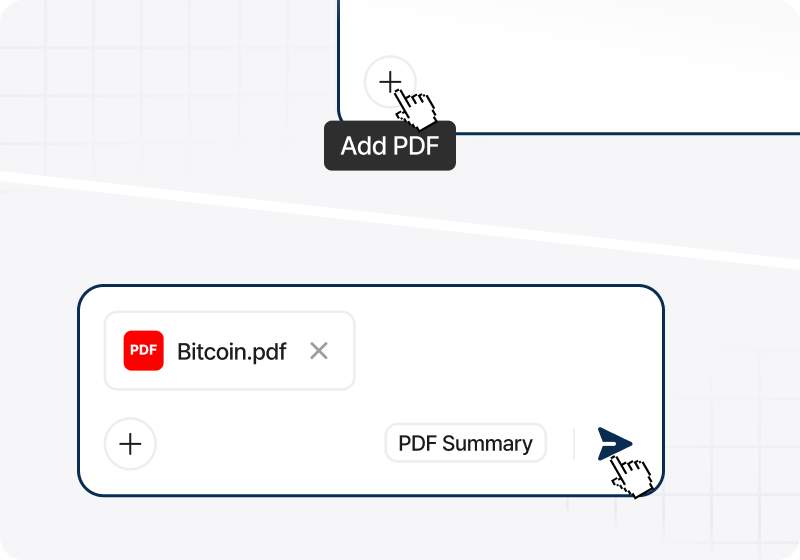
How to summarize a PDF
STEP 1
Upload or drag your PDF file
STEP 2
Click the summarize button
STEP 3
Check out your organized summary instantly!
FAQ
Can I summarize PDFs for free?
Absolutely!
Just sign up with your Google account to summarize up to 2,000 pages or 2GB per month for free on LiveWiki.
Just sign up with your Google account to summarize up to 2,000 pages or 2GB per month for free on LiveWiki.
How long does it take?
Summaries start in seconds.
LiveWiki allows you to extract key insights from hundreds of pages in an instant.
LiveWiki allows you to extract key insights from hundreds of pages in an instant.
Can I summarize foreign language PDFs?
Yes, LiveWiki supports and translates foreign language PDFs.
You can generate summaries in Korean, English, Japanese, Chinese, Spanish, French, and German, regardless of the document's original language.
You can generate summaries in Korean, English, Japanese, Chinese, Spanish, French, and German, regardless of the document's original language.
Use Cases
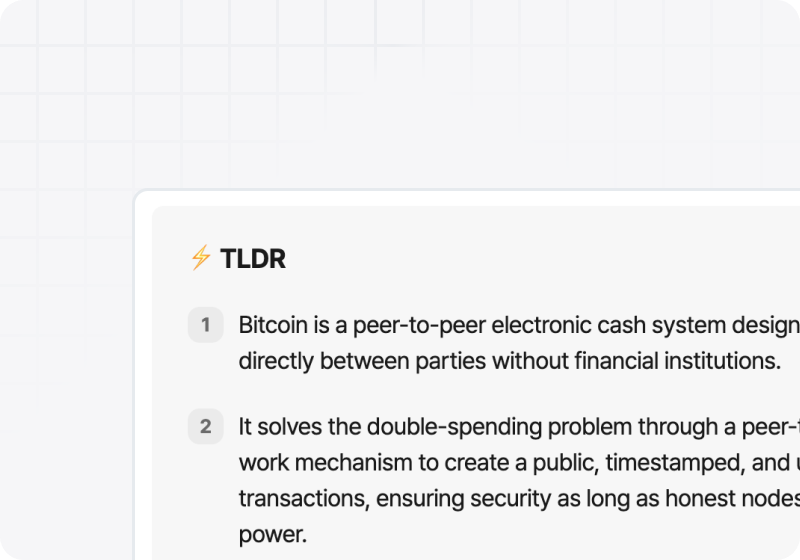
Clear your PDF backlog
Get key insights from papers or reports you’ve saved for later.
Understand any PDF at a glance.
Understand any PDF at a glance.
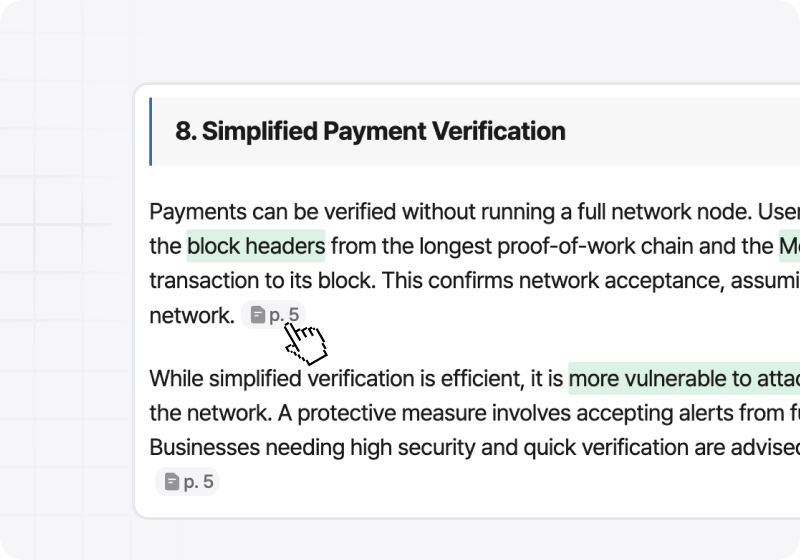
Scan the article and jump to key pages
Scan through the generated article and highlights to find what matters.
If you see a key insight, jump straight to that page for the full context.
If you see a key insight, jump straight to that page for the full context.
Experience a smarter way to summarize
with LiveWiki today

© 2026 LiveWiki. All Rights Reserved.
한국어English